Beta — Free Access

WARDEN

Fully custom crypto monitoring workspace for Windows. Track price movements across Bybit, Binance, Gate.io and OKX simultaneously.

Explore Tools →

Everything in one workspace

Each tool is purpose-built and fully configurable. No bloat, no noise — just the data you need. Change, resize, build your own monitoring workspace
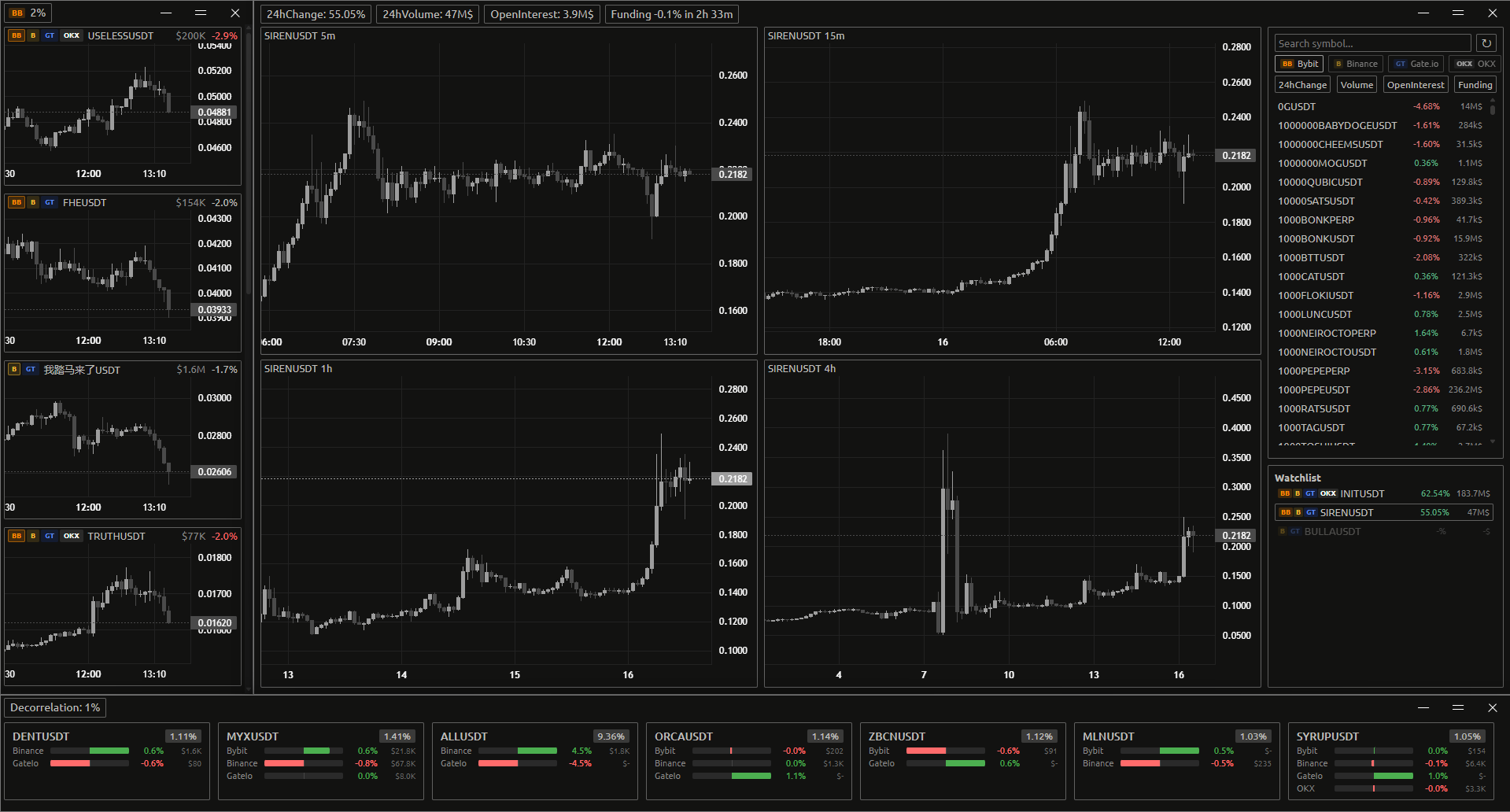
Full Warden workspace
01 KNIVES

Signals about every ticker on the market that you should know about.
Real-time price movement scanner across all major exchanges — the moment something moves, you know. All data is based on 5m timeframe.
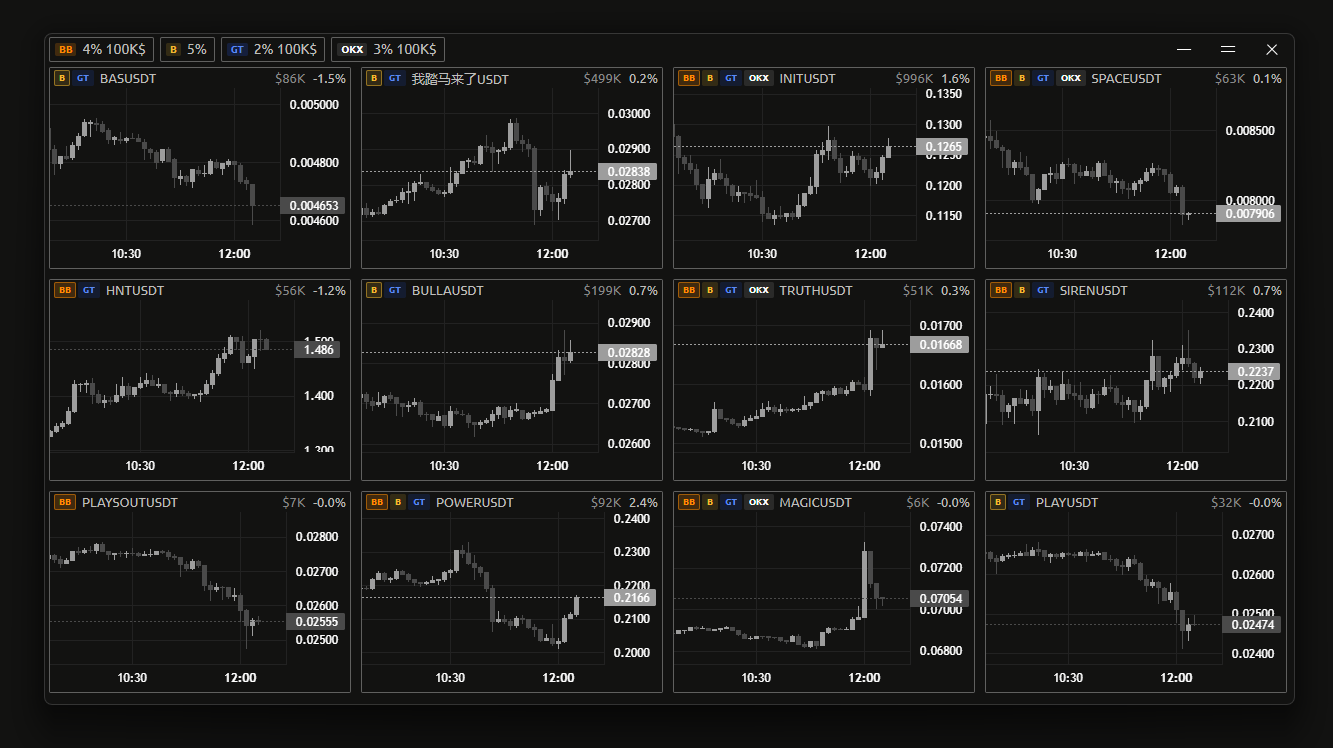
Knives scanner
4 Exchanges simultaneously
Bybit, Binance, Gate.io and OKX all monitored at once. Enable or disable each exchange individually.
Two-tier alert thresholds
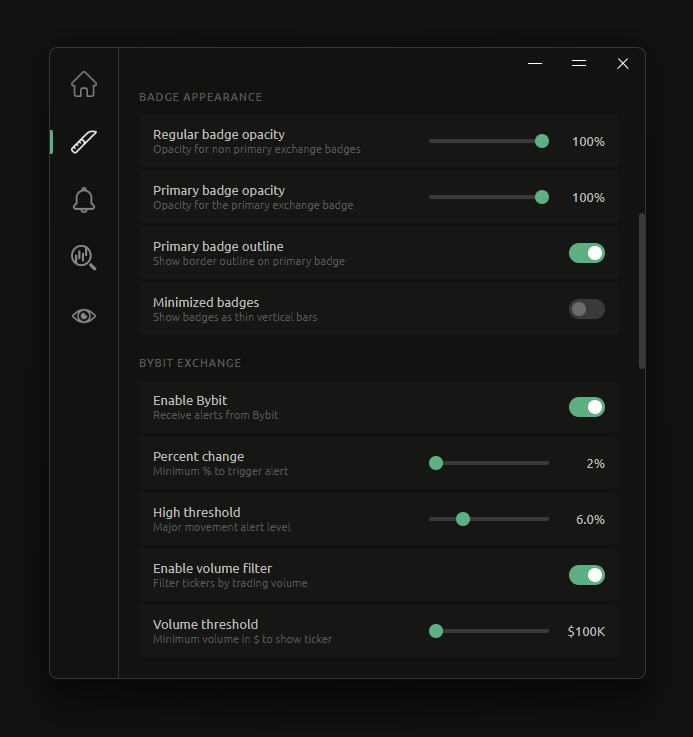
Set a base % and a high % threshold independently. Separate sound notifications for each level.
Volume filtering
Filter tickers by volume to cut out low-liquidity noise. Only see moves that actually matter. Volume calculated for 5m timeframe
Exchange badges per ticker
Each ticker card shows exactly which exchanges it's listed on. Custom badge design per exchange.
Sound control
Enable or disable sound notifications per threshold level, independently.
Fully custom per-exchange settings
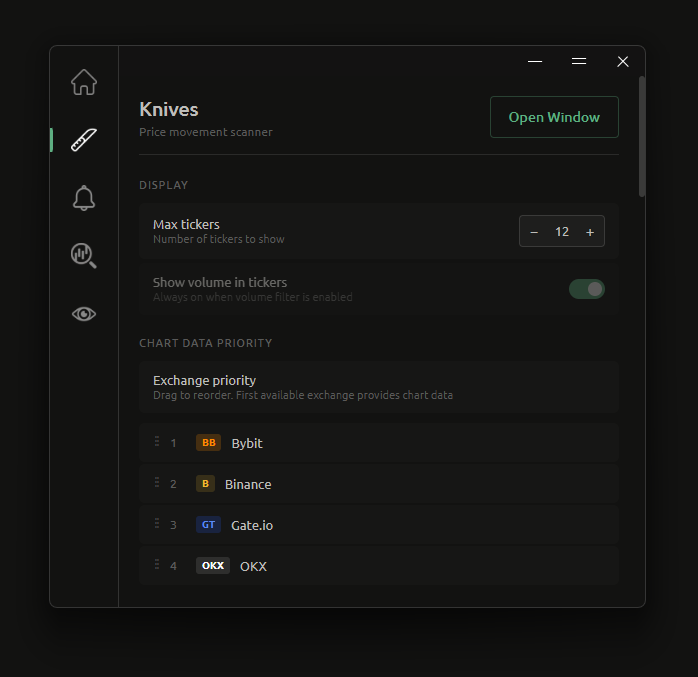
Each exchange has its own settings panel — thresholds, volume filters, sounds and display options all configured separately.

Settings panels

Knives settings 1
Knives settings 2
02 ALERTS

Cross-exchange price deviation scanner.
Detects when the same asset is priced differently across exchanges — and tells you the deviation, instantly. All data is based on 5m timeframe.
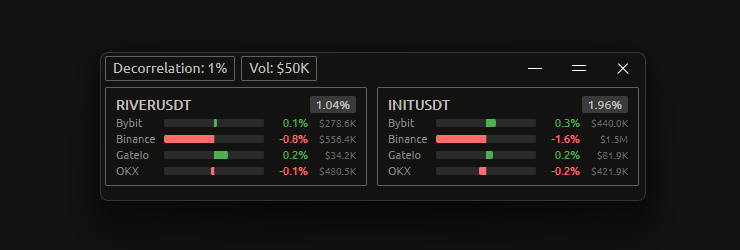
Alerts window
Cross-exchange deviation detection
Continuously compares prices for the same ticker across all monitored exchanges and flags deviations above your threshold.
Live listing alerts
Get notified when newly listed tokens start trading on monitored exchanges. Never miss fresh opportunities.
Minimum deviation threshold
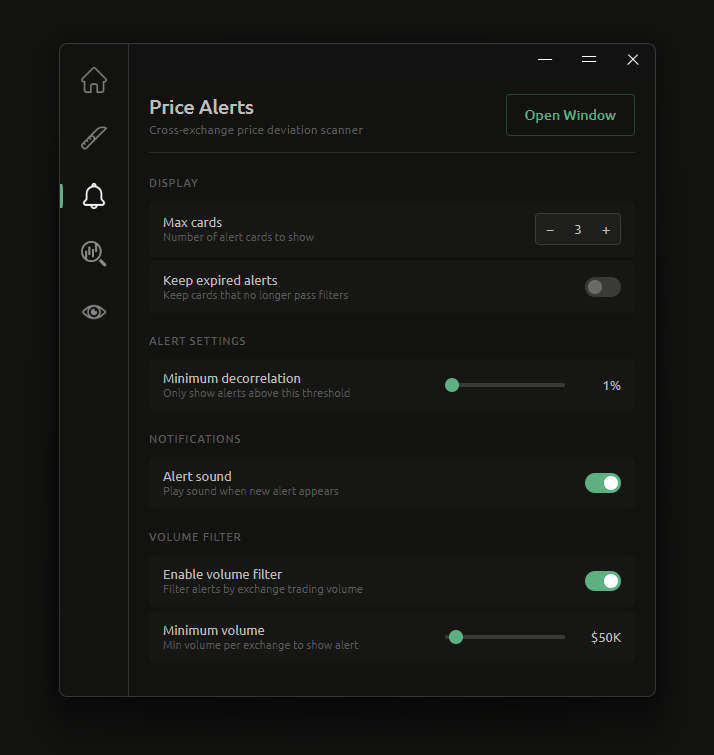
Only see alerts above a % deviation you define. Adjustable from 1% to 10% in 0.5% increments.
Volume filtering
Filter out low-liquidity alerts by setting a minimum trading volume per exchange. Toggle on or off without losing your setting. Volume calculated for 5m timeframe
Sound notifications
Optional audio alert fires when a new deviation appears. Toggle independently from other tools.
Configurable card limit
Set how many alert cards to display at once — from 3 up to 50. Keeps the window clean and focused.

Settings panel

Alerts settings
03 ANALYZER

Four timeframes. One ticker. Full picture.
5m, 15m, 1h and 4h charts rendered simultaneously.
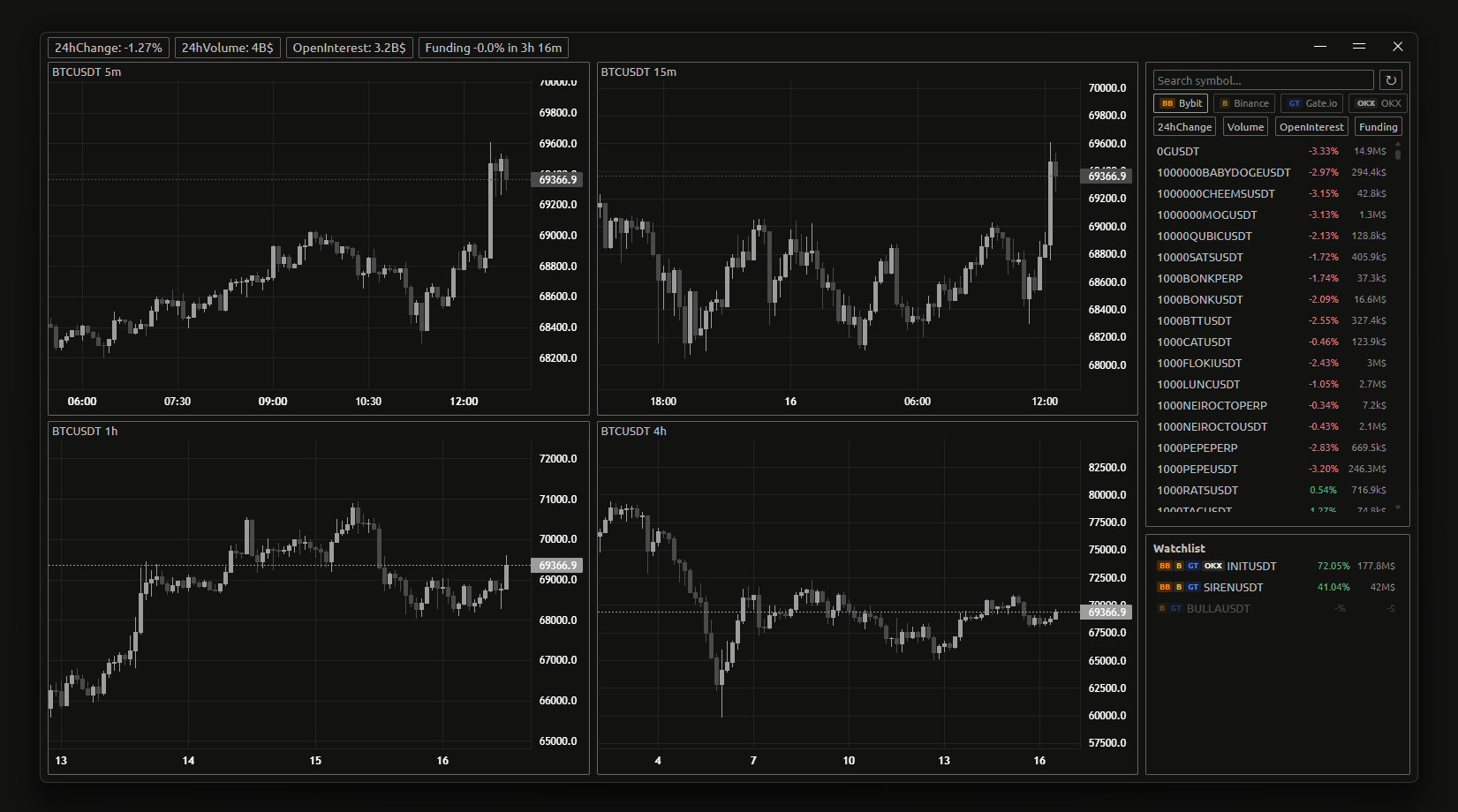
Analyzer window
4 charts simultaneously
5m, 15m, 1h and 4h candlestick charts render side by side for the selected ticker. No tab switching, no context loss.
4 exchanges, one interface
Switch between Bybit, Binance, Gate.io and OKX instantly. All charts and ticker data update to the selected exchange with no reload.
Infinite scroll history
Scroll left on any chart to automatically load more historical candles. Data loads in batches of 500 as you explore further back.
Full ticker list with sorting
Search and sort all available tickers by 24h change, volume, open interest or funding rate. One click to load any ticker into all four charts.
Watchlist with exchange badges
Save tickers to a persistent watchlist. Each entry shows which exchanges list it — so you always know where to trade.
Live stats in titlebar
24h change, volume, open interest and funding countdown update live for the active ticker — always visible without leaving the chart view.
04 MONITOR

Live market scanner sorted by volatility metrics.
Rank every ticker by NATR, volume or % change — aggregated across all exchanges in real time.
All data is based on 5m timeframe.
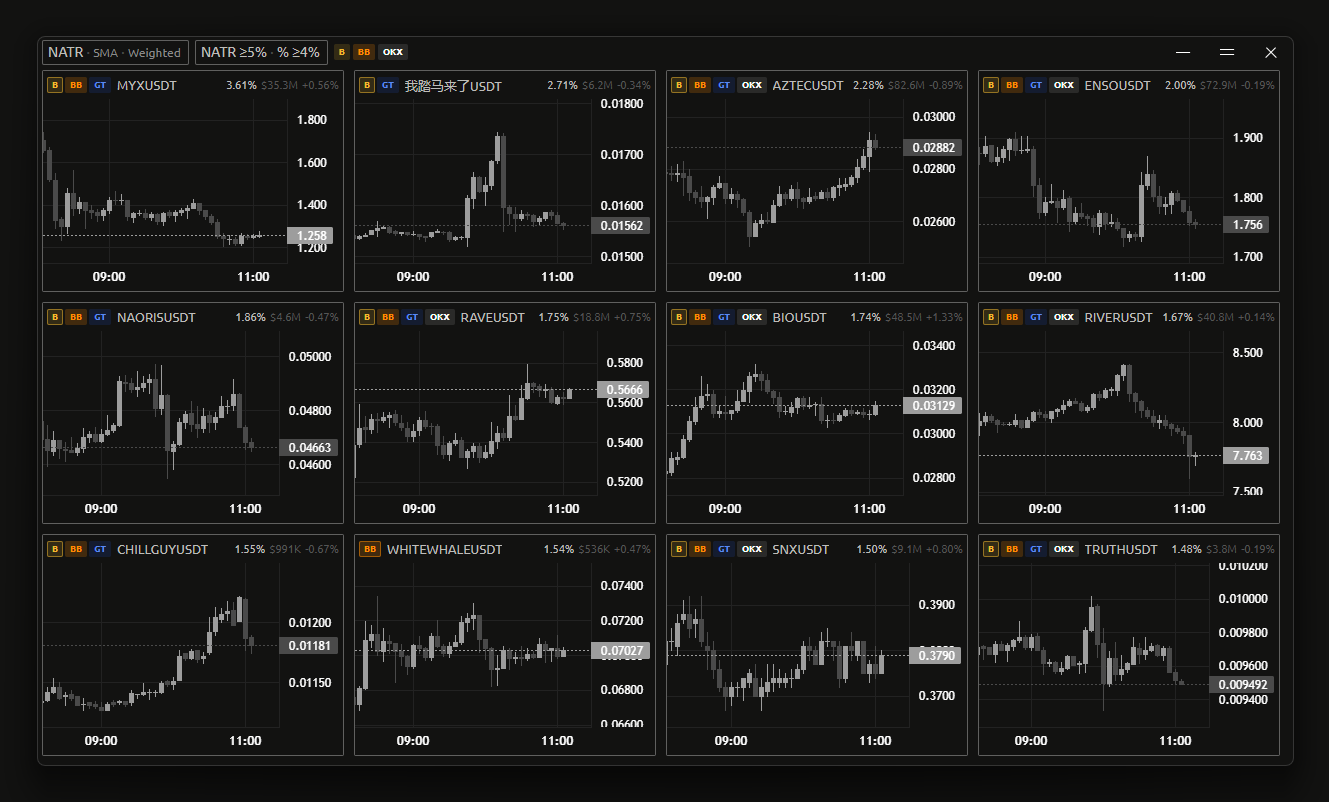
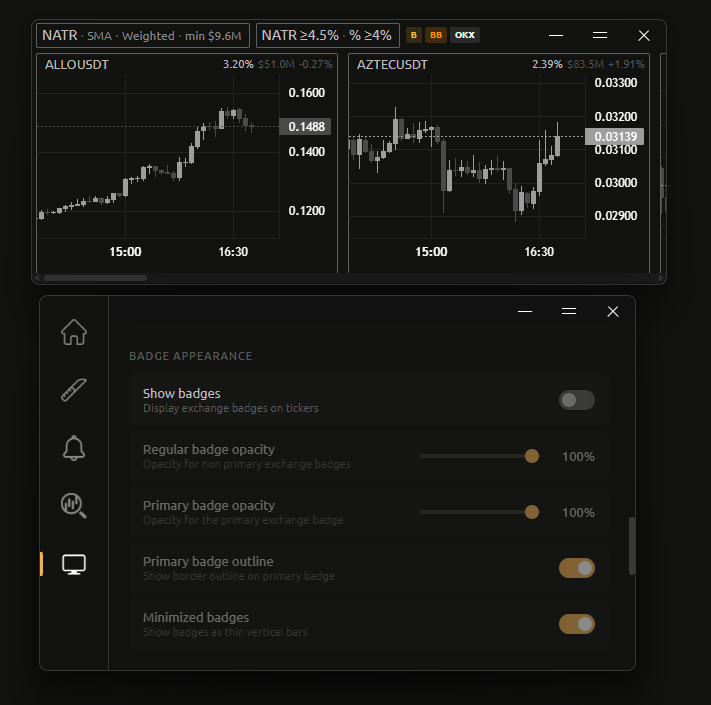
Monitor window
Sort by 3 volatility metrics
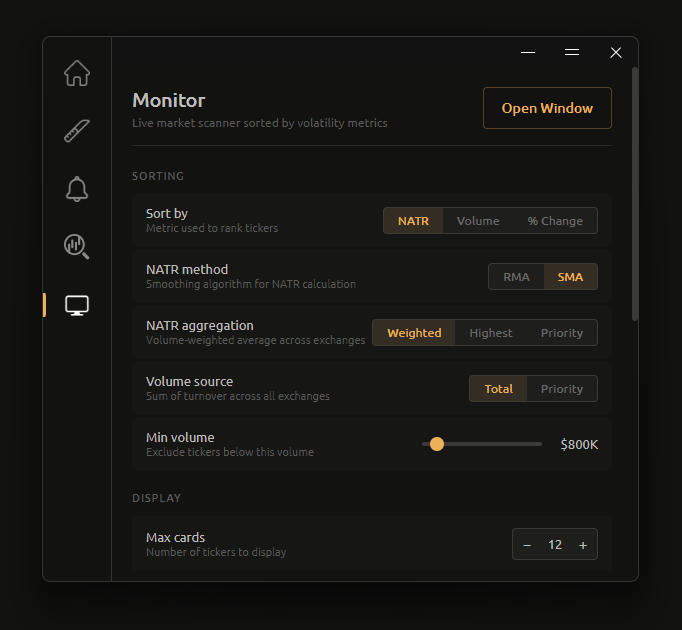
Rank tickers by Normalised ATR, volume or % change. NATR smoothing via RMA (Wilder's moving average — smoother, slower to react) or SMA (simple average — more responsive to recent candles).
Three NATR aggregation modes
Weighted average across exchanges, highest NATR across all exchanges, or priority — uses the first exchange in your order.
Volume source control
Choose between total turnover summed across all exchanges or turnover from your top-priority exchange only.
Configurable card limit
Display between 3 and 30 ticker cards. Adjust up or down without restarting — the list reorders live.
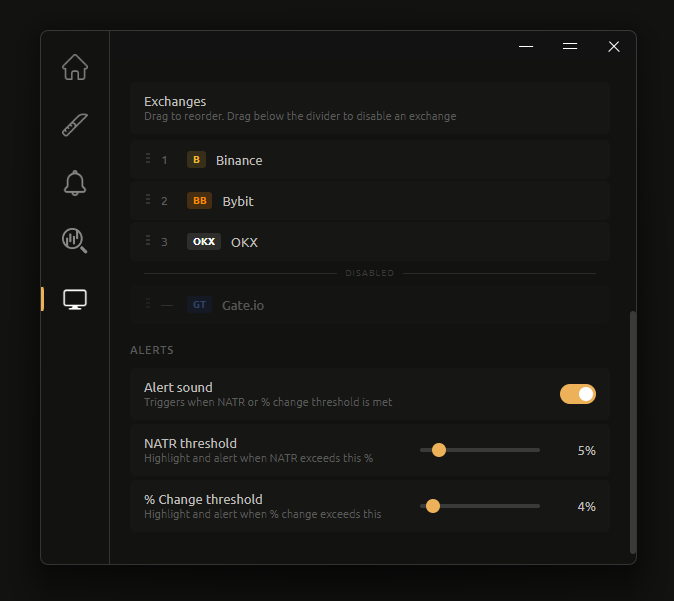
Drag-to-reorder exchange priority
Set which exchange comes first when aggregating data. Drag exchanges into order, or drag below the divider to disable them entirely.
NATR and % change alert thresholds
Set independent thresholds for NATR and % change. Values highlights when exceeded and an optional sound fires on each new alert.
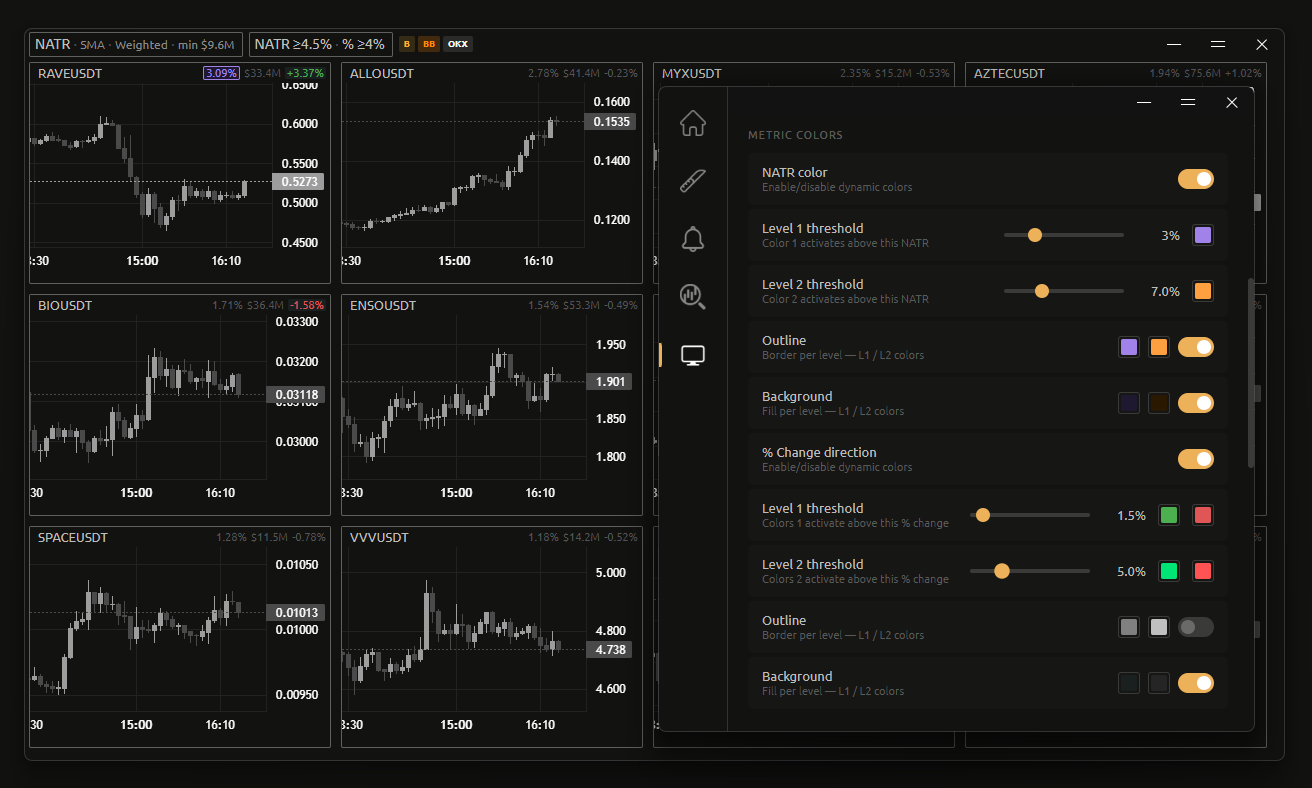
Per-metric color settings
Each metric gets its own color rules. NATR and % change shifts from a custom level-1 to level-2 color as volatility rises. Outline and background fill can be toggled independently per level — fully customizable colors for all three.

Settings panels

Monitor settings 1
Monitor settings 2

Metric colors

Monitor metric colors

Built to be yours

Deep control over every visual detail — define how each metric is colored, how badges display, and what your workspace looks like at a glance.

CHARTS COLORS

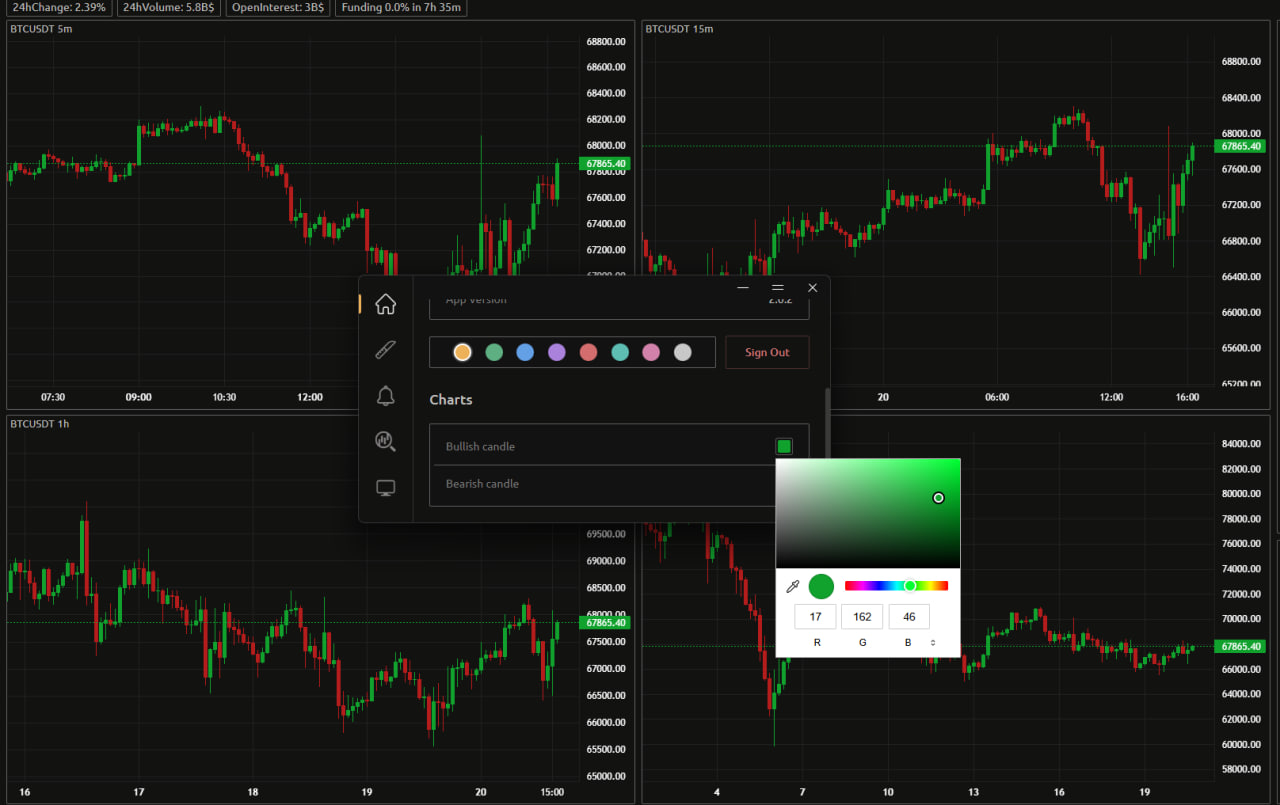
Define exactly how candles would look like.
This setting changes candle's color for all charts in every tool.

Color settings

Colors settings
EXCHANGE BADGES

Control how exchange badges appear on every ticker card.
Adjust opacity, outlines and sizing — or collapse them to minimal bars to declutter the view.

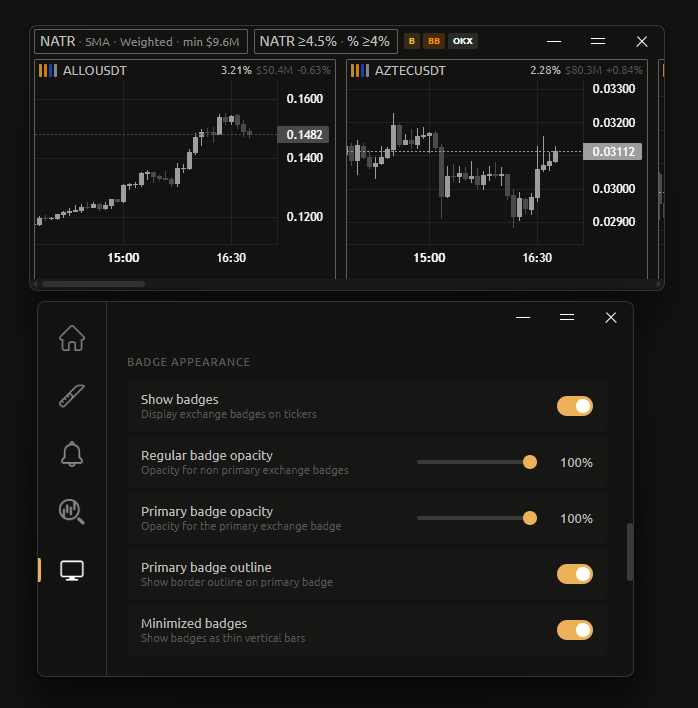
Show or hide all badges
Toggle exchange badges on or off across all ticker cards with a single switch. Clean up the display when you don't need the exchange context.
Primary vs regular badge opacity
The primary exchange badge can be shown at a different opacity from the rest. Dim secondary badges to draw focus to the exchange that actually provided the data.
Primary badge outline
Add a subtle border to the primary exchange badge to make it stand out from secondary ones without changing size or color.
Minimized bar mode
Collapse badges to thin vertical bars — still color-coded per exchange, but taking a fraction of the space. Useful when maximizing card density matters more than label clarity.

Badge appearance options

Exchange badges default
Exchange badges minimized

Common questions

Windows Defender / SmartScreen warning

When you first download and run Warden, Windows Defender SmartScreen may show a warning saying the app is unrecognized. This is completely normal and expected — here's why:

Windows SmartScreen flags any new application that hasn't yet built up a reputation with Microsoft. It is not a virus detection — it simply means not enough people have downloaded the file yet for Microsoft to automatically trust it. Every new indie app goes through this. As Warden gains more downloads, this warning will disappear on its own.

1 Click "More info" on the SmartScreen popup
2 Click "Run anyway" to launch the application
3 This only happens once — subsequent launches won't show the warning
Yes. Warden is completely free during the beta period. There are no hidden fees, no premium tiers, and no paywalls. All tools and features are available to everyone.
Warden currently supports Bybit, Binance, Gate.io and OKX. All exchanges are monitored simultaneously across every tool. More exchanges may be added based on community feedback.
No. Warden only reads publicly available market data. It never asks for API keys, never connects to your exchange account, and never executes trades. It is a monitoring tool only.
Warden is currently Windows-only. macOS and Linux support may be considered in the future depending on demand.
Join the Telegram group — it's the fastest way to report issues, suggest features, and get direct responses.

Ready to try it?


Join for news and to share your feedback

Updates, feature requests and direct contact

Telegram